 Magic Pulse
Walt Disney World
Magic Kingdom · EPCOT · Hollywood Studios · Animal Kingdom
Inside the app
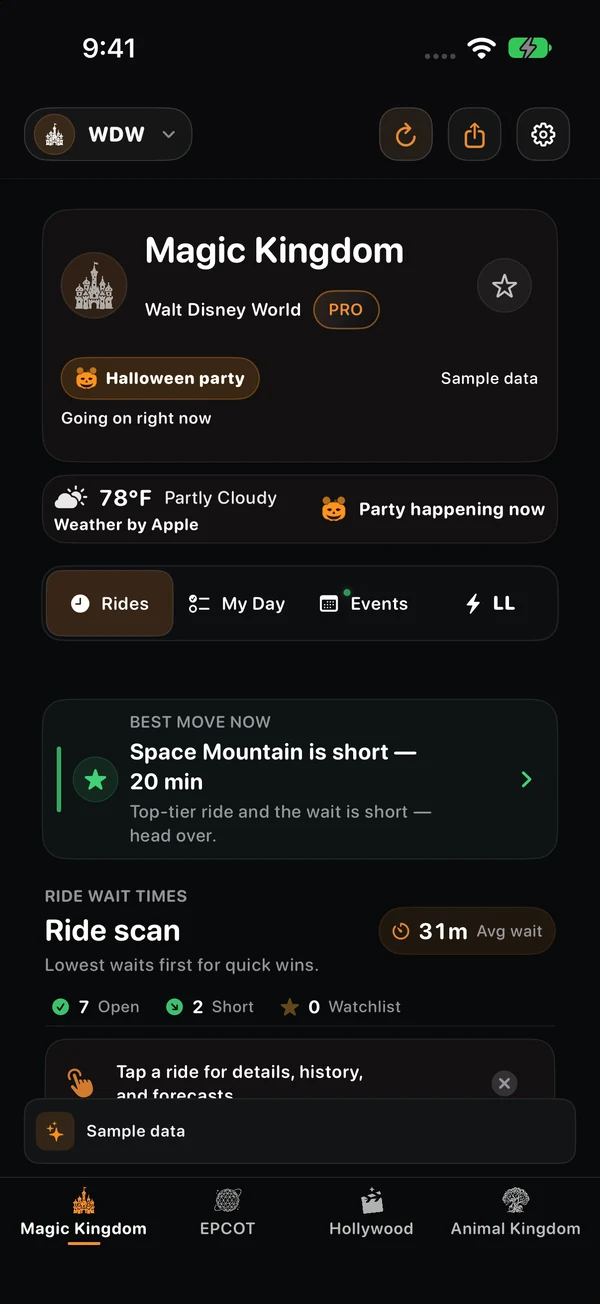
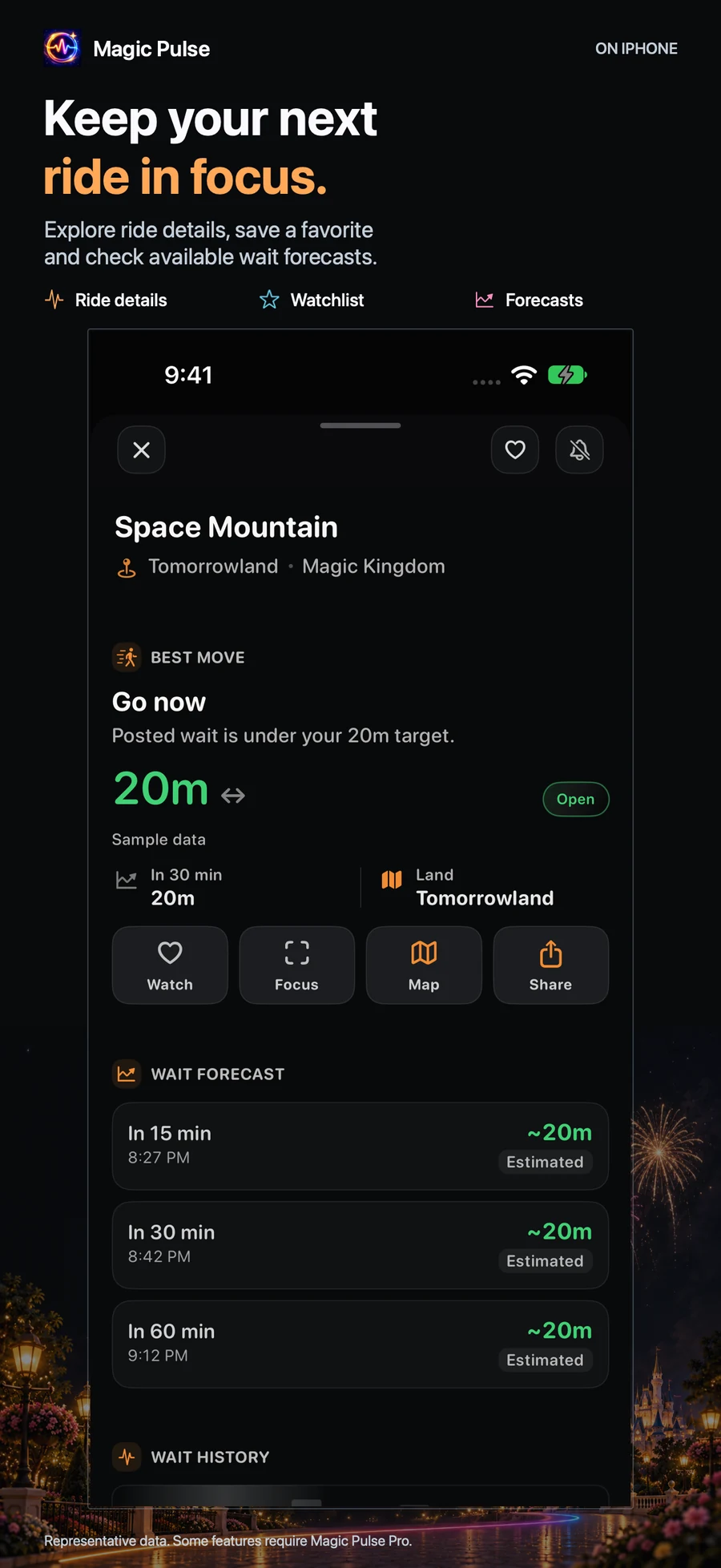
Magic Pulse turns live park data into a clear next step: compare waits, organize your day, and decide whether Lightning Lane is worth it.
See all app features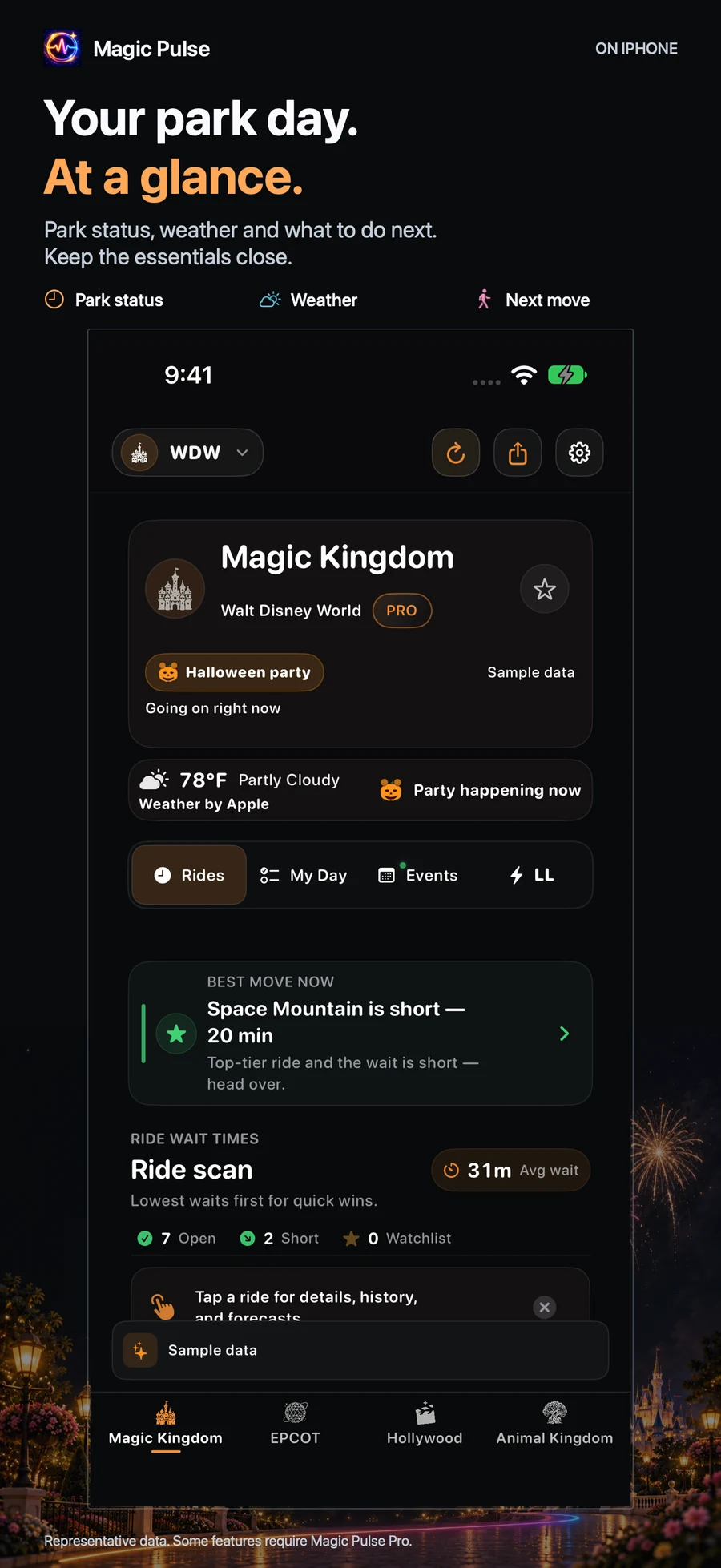
Special park nights
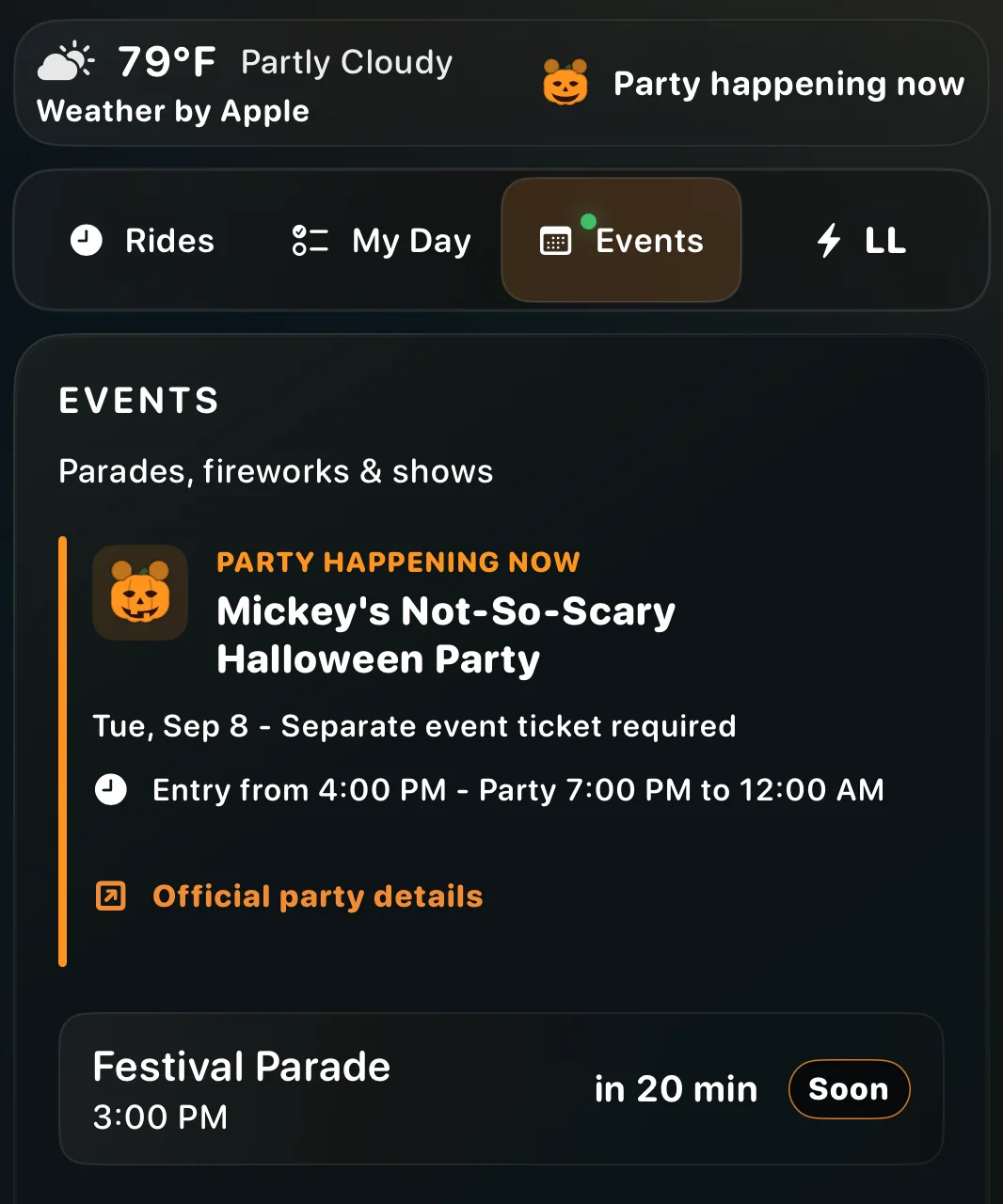
Magic Pulse recognizes seasonal parties and special access windows so an early regular close does not look like the end of the night.
Park coverage
Choose a park and keep the same waits, hours, weather, watchlist, and planning flow wherever the trip takes you.
Magic Kingdom · EPCOT · Hollywood Studios · Animal Kingdom
Disneyland Park · Disney California Adventure
Tokyo Disneyland · Tokyo DisneySea
Disneyland Park · Disney Adventure World
Clear sources Waits and hours from ThemeParks Wiki; weather from Apple Weather.
Privacy first No Magic Pulse account is required for core planning.
Direct support Questions and privacy requests go to one support form.
How it works
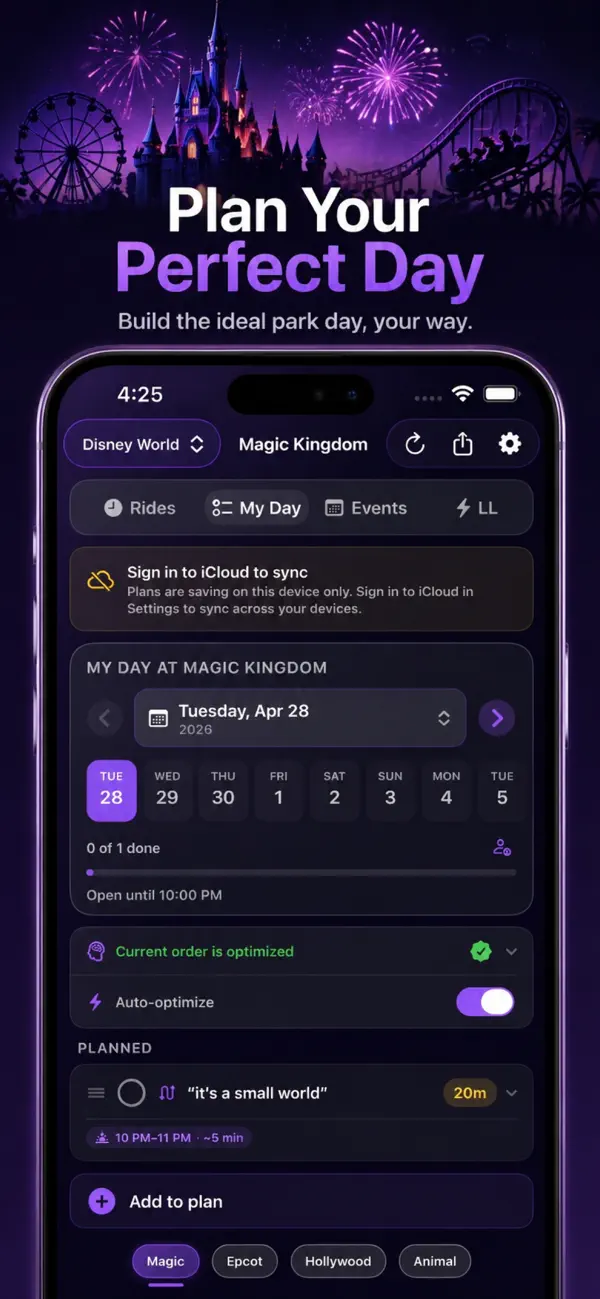
Build a list of rides, events, and meals. Auto-optimize reorders for shortest total wait. Pro sharing keeps the whole party in sync through iCloud.
Magic Pulse pulls live wait times, hours, weather, and Lightning Lane prices every few minutes — and surfaces what's most actionable on your Now card.
Smart drop alerts and Apple Watch glances tell you when to move. After the visit, your trip recap shows what you saved — shareable as a card.
Pricing
Free covers the essentials for checking waits and planning your day. Pro is for park days where alerts, shared plans, widgets, and no ads are worth having ready.
$0 forever
Best for checking live waits before and during a visit.
3 days free then $0.99 / week
Best for an active trip with alerts, shared plans, and Lock Screen tools.
$2.99 one time
Best for repeat visits and families who want Pro without a subscription.
Prices shown are for the United States App Store and may vary by region or over time. Trial availability depends on eligibility and the offer shown before purchase. Weekly Pro renews automatically unless canceled through Apple’s subscription settings; lifetime is a one-time purchase. Pro purchases are billed through your Apple ID.
| Feature | Free | Pro |
|---|---|---|
| Live wait times, hours & weather | ✓ | ✓ |
| My Day planner, Lightning Lane tracker, Watch glance, Trip recap, iCloud sync | ✓ | ✓ |
| No ads | — | ✓ |
| Smart drop & reopen alerts | — | ✓ |
| Lightning Lane price alerts | — | ✓ |
| Day plan reminders | — | ✓ |
| Shared day plans (CloudKit) | — | ✓ |
| Live Activity & Lock Screen | — | ✓ |
| Home Screen widgets | — | ✓ |
| Siri & Shortcuts | — | ✓ |
| All future Pro updates | — | ✓ |
Before you install
Live waits and core planning do not require a Magic Pulse account. Optional Apple permissions unlock nearby suggestions, alerts, and sharing.
Accessibility
Magic Pulse includes support for common Apple accessibility settings throughout its core park and planning views. Read the full accessibility statement.
An internet connection is needed for fresh waits. When service is spotty, Magic Pulse can show its last available cached snapshot. Read the Privacy Policy.
What's new
Version 2.2 adds enhanced Halloween and Christmas party guidance, support for Extended Evening Hours and member-exclusive events, improved notifications, refreshed park and Watch experiences, and smoother loading.
Read the App Store version historyFAQ
Yes. Free includes live waits, the day planner, Lightning Lane price tracking, the trip recap, the Apple Watch app, and iCloud settings sync. Pro adds drop alerts, Lightning Lane price alerts, day-plan reminders, shared day plans, Live Activity, widgets, Shortcuts, and no ads.
Yes. My Day keeps rides, events, meals, and custom items together. Auto-optimize uses available wait information to help arrange rides, not guarantee queue times. Pro adds shared CloudKit plans for invited family members.
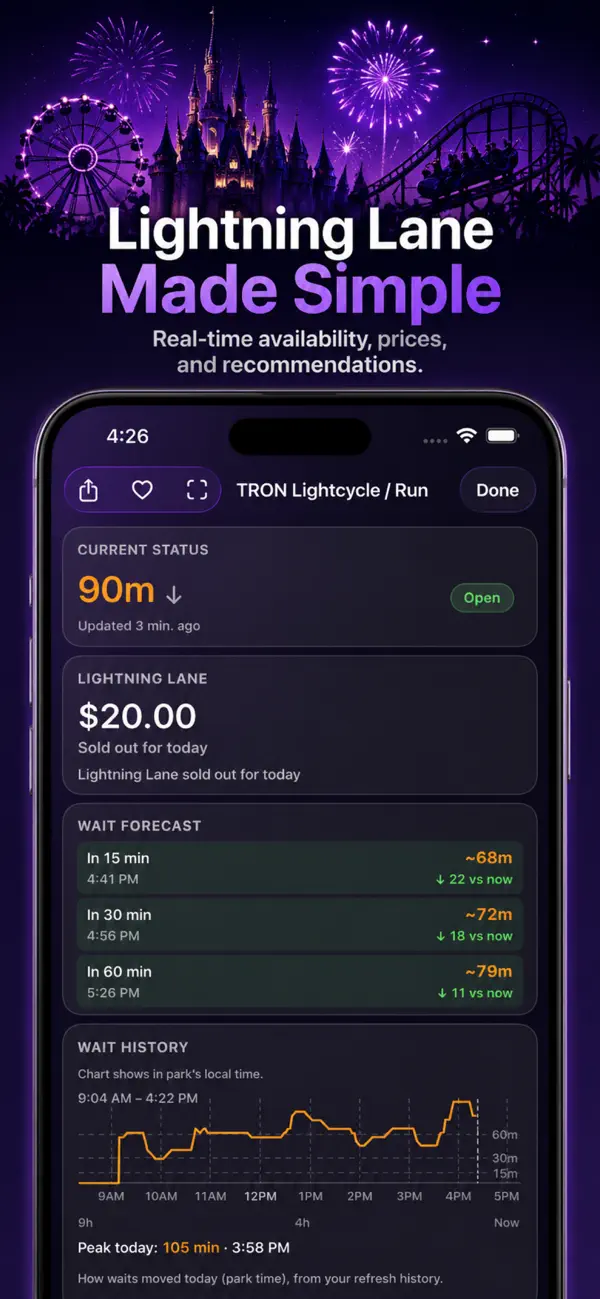
Yes. The Lightning Lane tab shows live posted prices for Multi Pass and Single Pass attractions, a "Best Buy" recommendation that combines standby waits with historical price patterns, and price-drop alerts (Pro) so you can buy at the right moment.
Yes. Apple Watch shows your selected park's crowd level, hours, and top watchlist ride wait. Complications are available on supported watch faces. iPhone reachability is a connection indicator, not proof of a fresh source update.
Yes. Magic Pulse uses iCloud Key-Value storage to sync your watchlist, thresholds, accent color, and notification preferences across the iPhones and iPads on your Apple ID. Shared CloudKit plans also sync among invited family members.
Wait times and park hours come from ThemeParks Wiki. This site’s hero loads waits from the Magic Pulse API, falling back to ThemeParks Wiki’s public API if it’s unreachable.
Check the update time before using a posted wait. This website keeps available waits visible but hides forecast advice when data is delayed, a relevant service notice pauses it, or forecast availability cannot be checked. Confirm time-sensitive plans with the park operator.
No. Magic Pulse is an independent app and is not endorsed by Disney, Universal, or other park operators.
Walt Disney World, Disneyland Resort, Tokyo Disney Resort, and Disneyland Paris — multiple parks per region in one app.
Yes. The panel starts with a usable park selected by the Magic Pulse API, and you can choose any supported park. If the Magic Pulse API is unreachable, the selected park falls back to ThemeParks Wiki.
Get started free
Use live Disney wait times and planning tools to make quicker park-day decisions. Free to download on iOS.